How MoodKite works
Four steps, and you can stop after the first one. A check-in that is one tap long is a complete entry — the rest is there for when you want it.
A check-in, step by step
1. Pick a mood
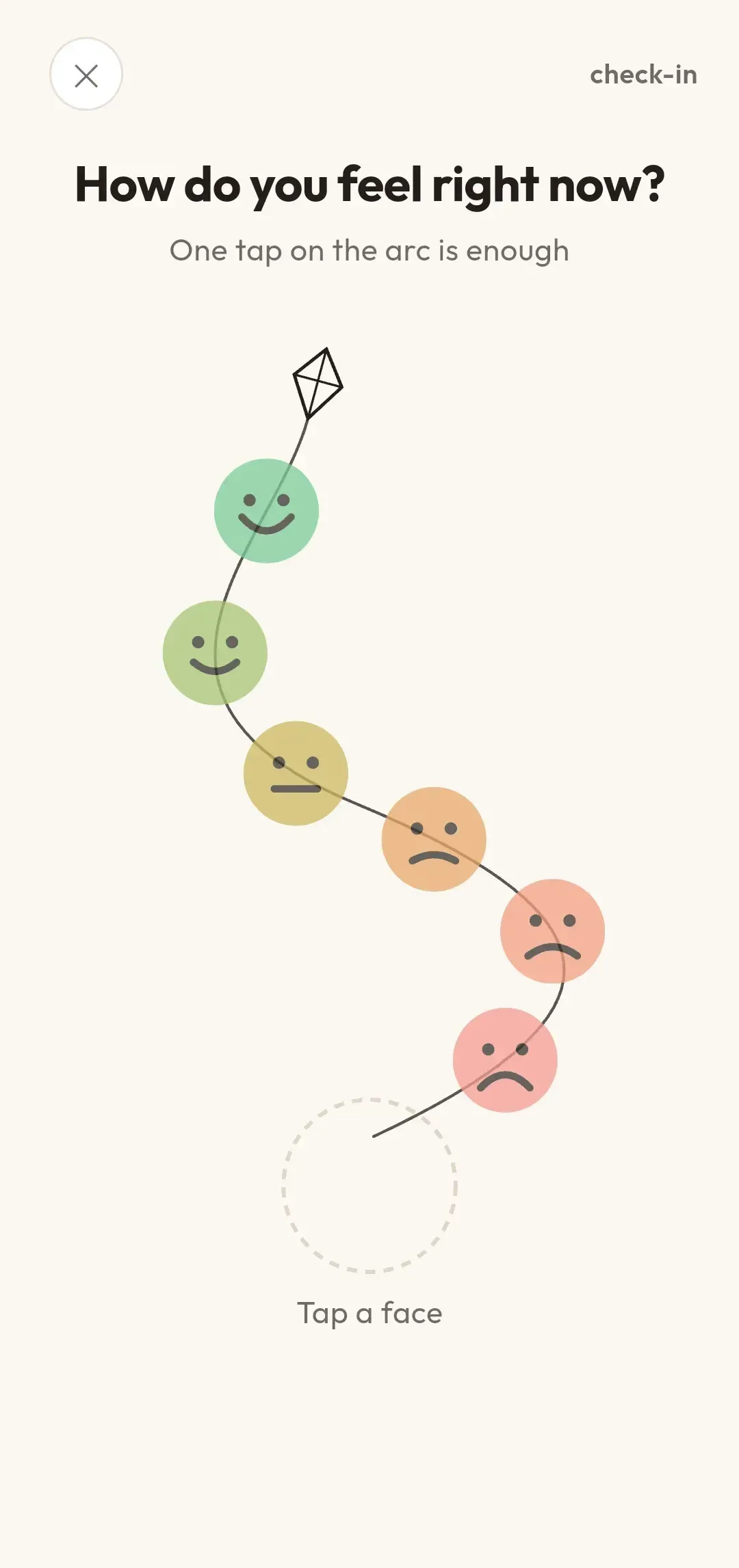
Six faces hang from the kite’s string. Tap the one that fits and the moment is recorded, with the time it happened. That is the whole of step one, and for a lot of moments it is the whole check-in.
2. Name the emotions, if you want to
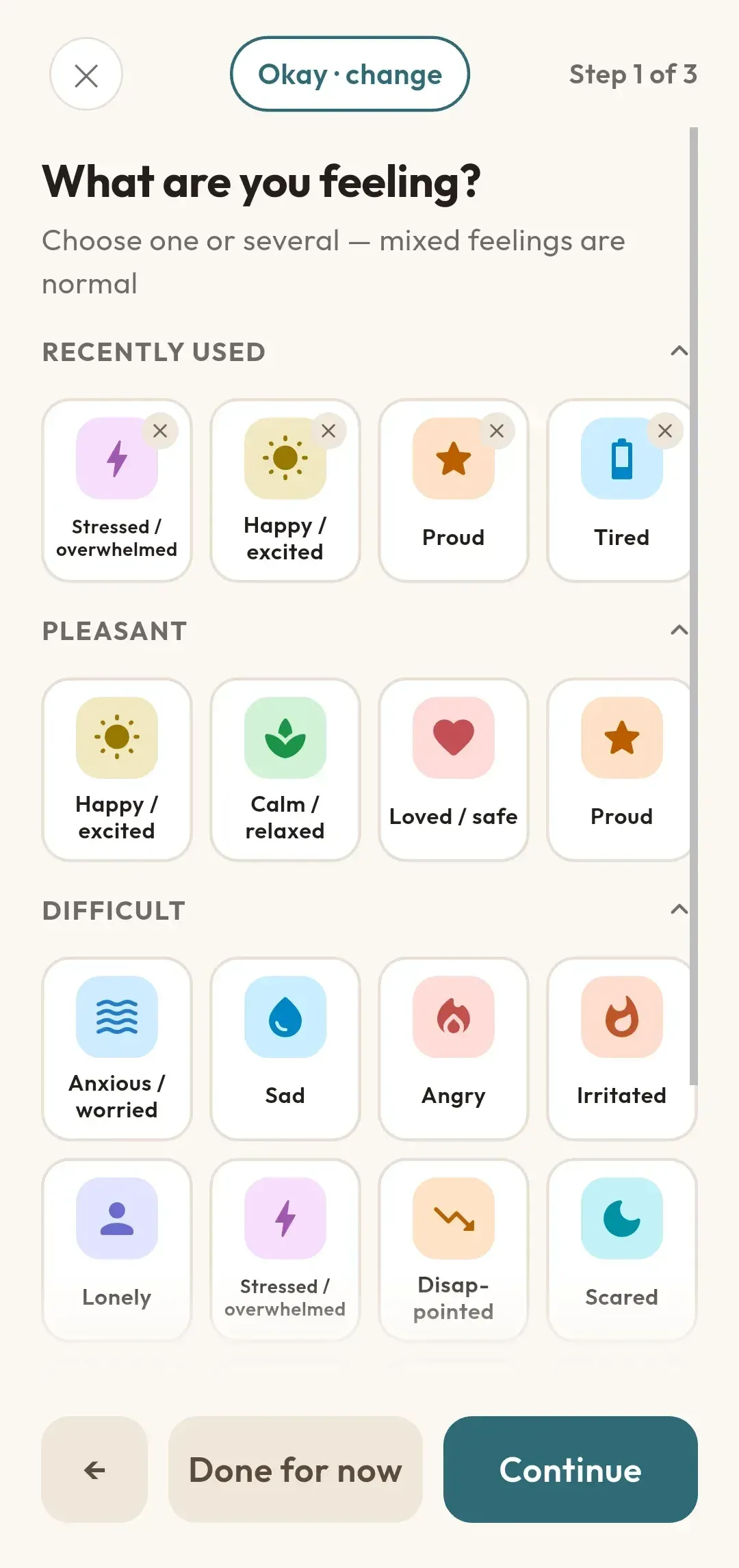
A broad mood and a particular emotion are different things. If you want to be more exact, choose the emotions that fit — as many or as few as you like.
3. Note what was around it, and what you did
Something that happened, something on your mind, or something in your body — whatever was there alongside the feeling. Then what you did about it, how you felt afterwards, and a note in your own words. MoodKite records what appeared alongside the feeling. It does not claim one caused the other.
4. Look back
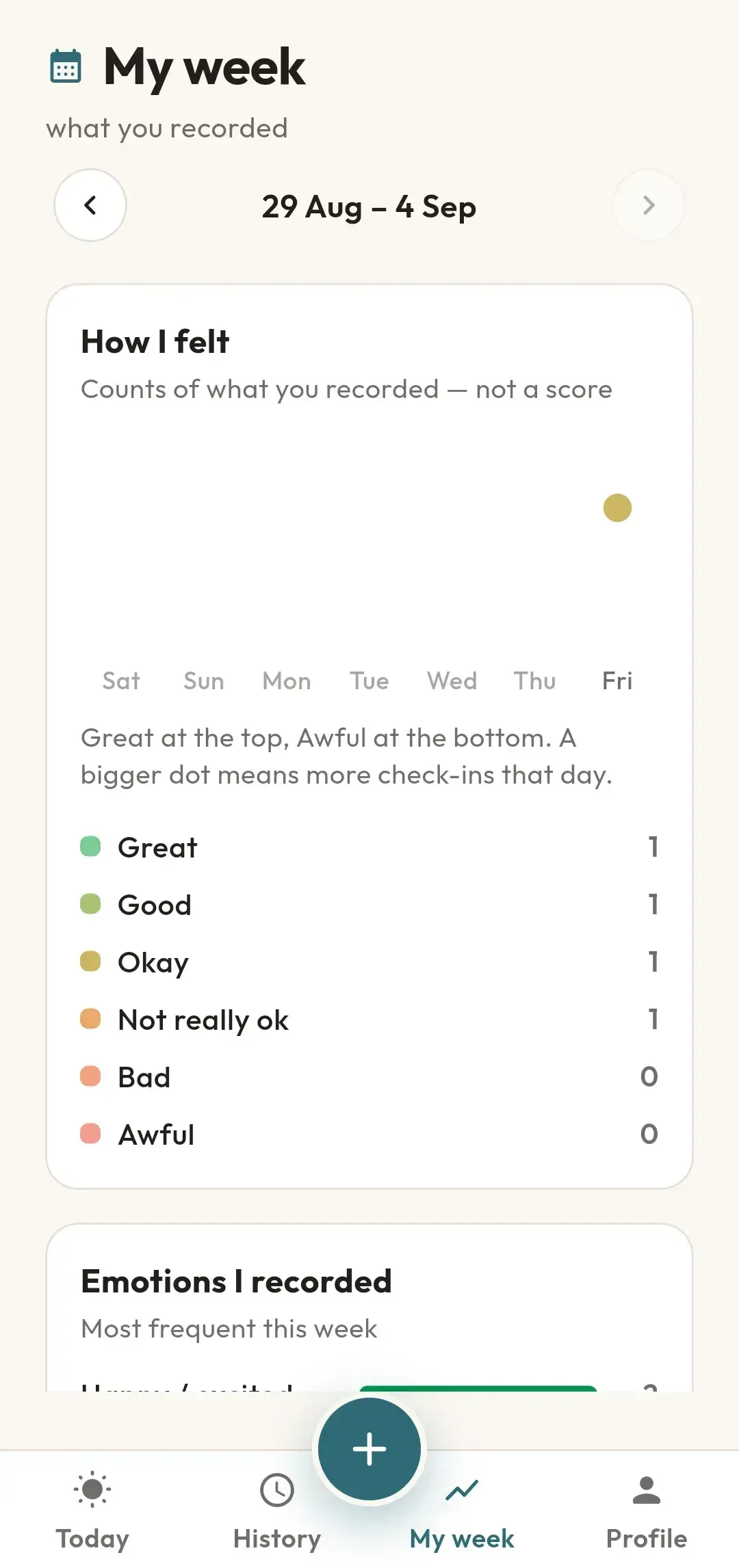
My week gathers the last seven days: the shape of the week, the emotions and connections that came up most often, and the notes you wrote. History keeps everything else, grouped by day.
Step one
One tap, and it is recorded
The six faces run along the kite’s string, from Great at one end to Awful at the other. There is no right answer and no wrong one — the scale is there so you can be quick, not so you can be accurate.
Steps two and three
Say more, if there is more to say
"Bad" can mean a lot of things. Naming the particular emotion is a skill, and it gets easier with practice on ordinary days.
- The emotions you are feeling, chosen from the tiles or added in your own words
- What might be connected: something that happened, something on your mind, or something in your body
- What you did about it
- How you felt afterwards
- A note in your own words
Step four
My week, counted
A line for the shape of the week, one dot a day. Below it, rows for the emotions, connections and actions that came up most often, and the notes you wrote to yourself.
Everything you recorded
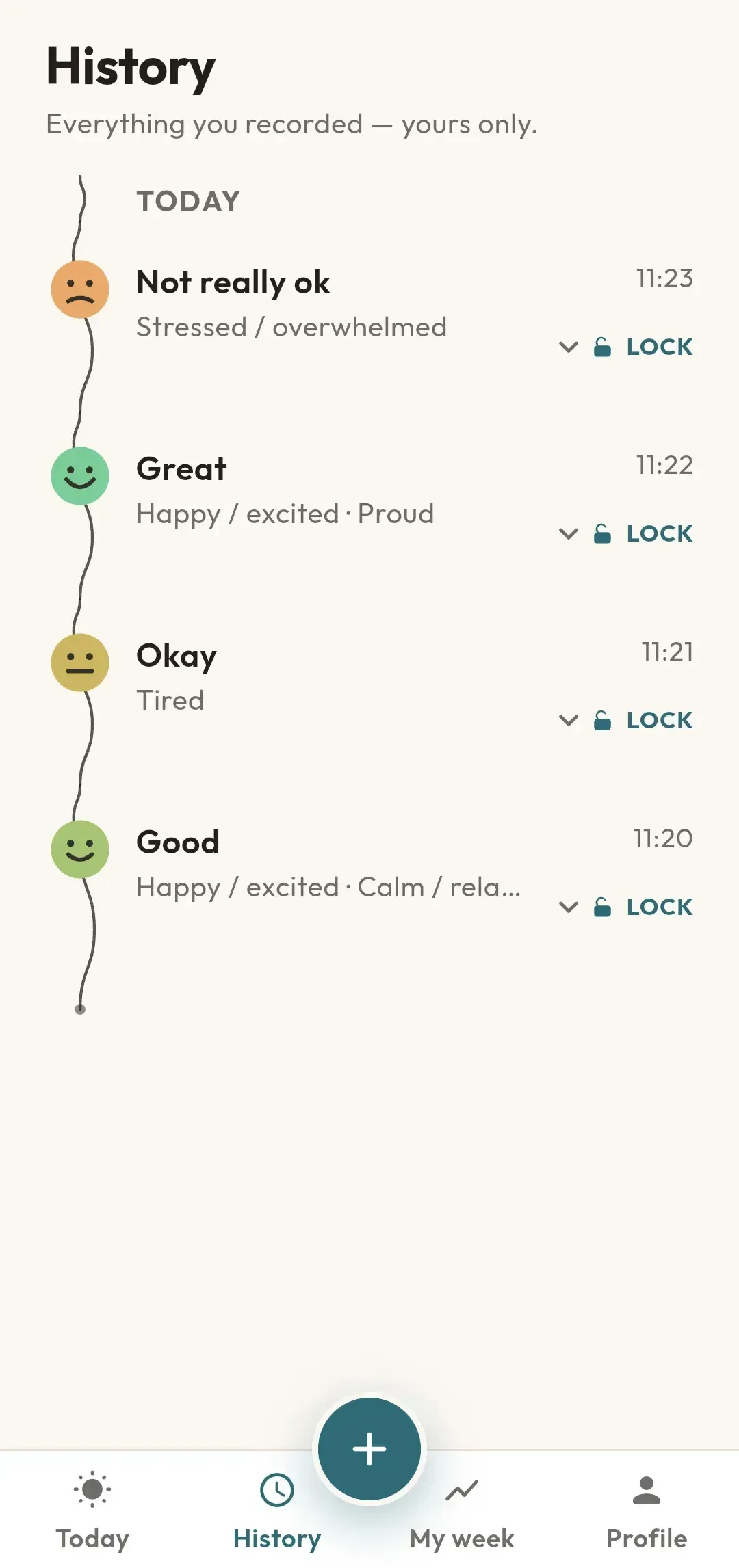
History, day by day
The same string, unrolled and running down the page. Open any moment to see everything you recorded about it, edit it, or delete it.
Any moment can be locked. Locking hides the details — the words you picked, what you noted alongside, and any note — while the mood itself stays visible and the moment still counts on your week. If your phone has a screen lock, MoodKite asks the phone to check it; if it has none, MoodKite can use a PIN of its own that you choose in the app.
Reminders, if you want them
Choose up to three reminders a day, or none at all. A reminder opens with six mood faces you can tap straight from the notification — one tap records the moment.
If you want to add more afterwards, you can, and the original time is kept. Reminders are scheduled by the phone itself and can be turned off in Settings at any time.
Get MoodKite
Free, no advertising, no account.